
What Is Virtual Staging? A Practical Guide for Real Estate Listings
Learn what virtual staging is, how software-based staging works, when to use it, and how to keep listing photos accurate and buyer-friendly.
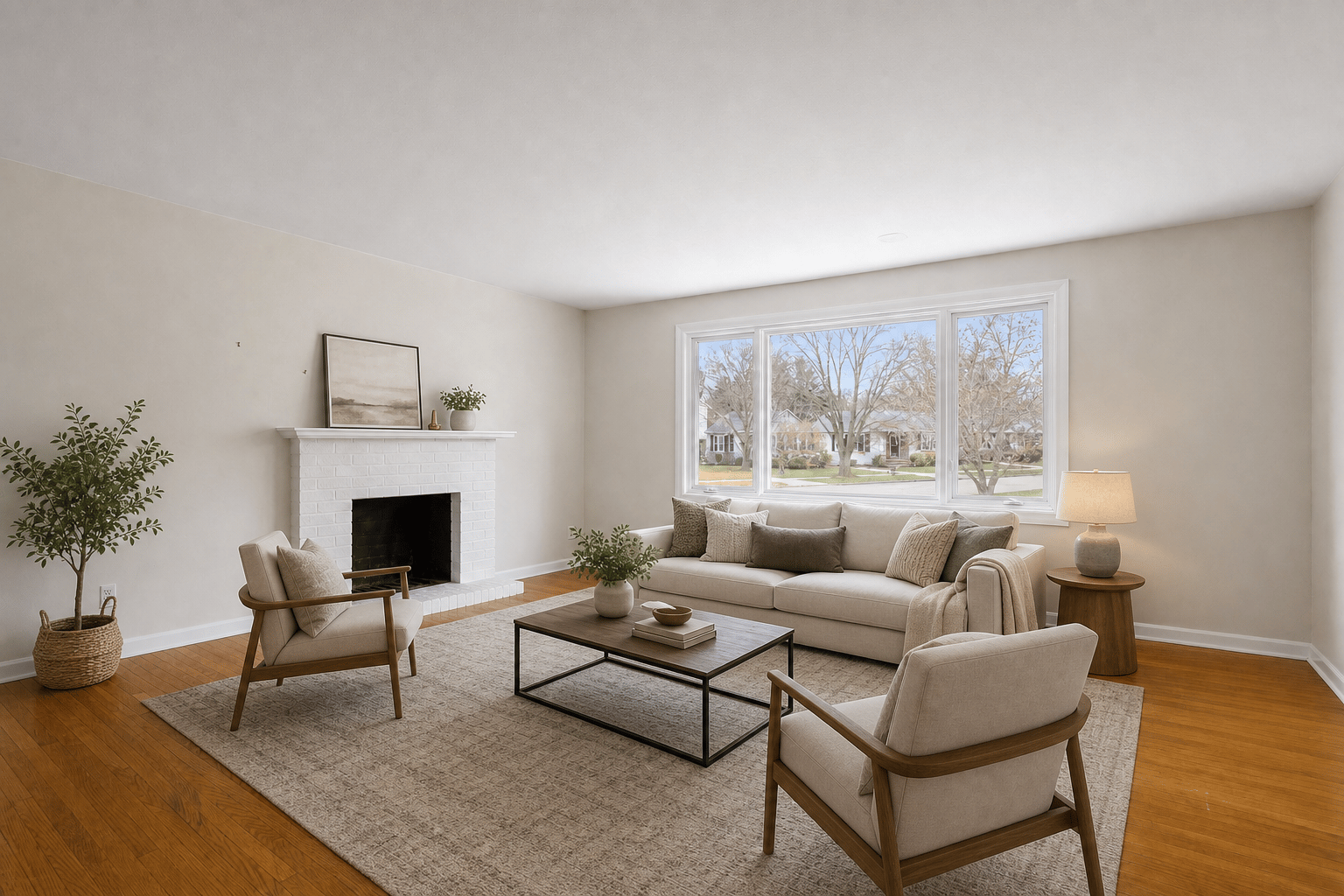
Key takeaways
- Virtual staging digitally adds furniture, decor, or cleanup to listing photos without moving physical furniture into the property.
- The best use case is helping buyers understand room scale, layout, and potential while keeping the real property features accurate.
- Agents should keep original photos available and follow local MLS, brokerage, and advertising disclosure rules.
The short answer
Virtual staging is the process of digitally furnishing or improving a property photo so buyers can understand how a room could be used. Instead of renting furniture, coordinating delivery, and physically staging the property, an agent or photographer uploads a room photo and creates a staged version for online marketing.
Good virtual staging does not try to hide the real condition of a home. It should make an empty or under-presented space easier to understand while preserving fixed features such as walls, windows, doors, floors, fixtures, views, ceiling lines, and room dimensions.
Why real estate teams use it
Most listing discovery starts with photos. Empty rooms can look smaller, colder, or harder to interpret on a portal feed, especially when buyers are comparing several homes quickly. Staging gives visual context: where a sofa could sit, how a bedroom might fit a queen bed, or how an unused room could become a home office.
The National Association of Realtors 2025 Profile of Home Staging reported that 83% of buyers' agents said staging made it easier for buyers to visualize a property as a future home. That is the core job of virtual staging too: make the potential visible before the showing.
How virtual staging software works
Virtual staging software places realistic furniture and decor into an existing room photo. The workflow is usually simple: upload a photo, choose the room type, choose a style, create a staging result, review it against the original, and download the version that is ready for listing review.
Virtual Staging AI is built around that review step. The original and staged versions should stay paired so the agent, seller, photographer, and compliance reviewer can compare what changed before the photo goes live.
- Upload a clear room photo with the full floor and wall area visible.
- Pick a room type such as living room, bedroom, dining room, kitchen, bathroom, or office.
- Choose a buyer-friendly style that fits the listing instead of an overly personal design trend.
- Review scale, lighting, fixed features, and any required virtual staging label.
When virtual staging works best
Virtual staging is strongest when the property already photographs honestly but needs context. Vacant living rooms, primary bedrooms, dining areas, dens, and offices are usually good candidates because furniture helps buyers understand size and purpose.
It also works well as an add-on for real estate photographers and small teams that need fast listing preparation. A photographer can deliver the original photo set and offer staged options for the rooms most likely to affect click-through and showing interest.
- Vacant rooms where buyers need help understanding scale.
- Clean occupied rooms that need decluttering before staging.
- Listings where physical staging would be too slow or too expensive.
- Rental, investor, or small-team workflows where speed matters.
What virtual staging should not change
The line is simple: stage the presentation, not the property facts. If a photo changes a structural or permanent feature, it can create confusion for buyers and extra review risk for agents.
Avoid edits that make the room appear larger, remove damage, change flooring, add windows, alter views, hide permanent defects, or imply renovations that have not happened. If you need to show renovation ideas, label that separately as a concept or renovation visualization.
Virtual staging, photo editing, and virtual renovation
Virtual staging adds furnishings and decor. Photo editing improves the presentation of the image through exposure, color, clarity, crop, or minor distraction cleanup. Virtual renovation goes further by showing changed materials, finishes, layouts, landscaping, or remodel concepts.
For real estate listings, virtual staging and basic photo polish are usually safer than renovation-style changes because they focus on market presentation while keeping the underlying property intact.
A simple listing checklist
Before publishing staged photos, review them like a buyer, a seller, and a compliance reviewer. The image should make the listing more attractive without creating a surprise at the showing.
- Keep the original photo and staged photo together.
- Check that windows, doors, fixtures, floors, and room dimensions match the original.
- Use a clear virtual staging disclosure when your MLS, brokerage, or platform requires it.
- Stage the most important rooms first: living room, primary bedroom, dining room, and kitchen.
- Choose realistic furniture scale and neutral styles that fit the target buyer.
Bottom line
Virtual staging is best understood as listing context. It helps buyers see what a room can become, but the property still needs to be represented accurately.
If you want a fast way to test it, start with one empty living room or bedroom, create a staged version, and compare it side by side with the original before using it in your listing package.